
ZXDoc User Guide
ZXDoc is ZLG's Windows automotive bus engineering software for CAN / CAN FD communication, LIN communication, DBC signal decoding, graphical signal plotting, UDS diagnostics, ECU flashing, and calibration. Check the features enabled in your installed ZXDoc release and use it with CANmeleon devices running ZLG USBCANFD-200U/400U firmware.
Prerequisites
- Complete ZLG Windows driver installation for your active firmware mode.
- Connect the device to the PC and confirm in Windows Device Manager that it enumerates cleanly.
- Connect
CAN_HandCAN_Lto the target bus and verify that 120 Ω termination resistors are installed at both ends of the bus.
Basic Workflow
Screenshots below show ZXDoc in Chinese; you can switch UI language under Help > Language (
帮助 > Language).
Launch ZXDoc and create a new project or open an existing
.zcpproject.Bind and configure your hardware channel:
- On the Home (
主页) ribbon tab, click Channels (通道). - In the Channel Management (
通道管理) window, click the CAN+ toolbar icon to add a CAN channel, then double-click the channel's hardware cell to open Hardware Configuration (硬件配置). - Select the Device Type (
设备类型, e.g.,USBCANFD-200U), Device Index (设备索引), and Channel Index (通道索引). - Choose
CAN FDorCAN, set the Arbitration Bitrate (仲裁域波特率), Data Bitrate (数据域波特率), and Enable Termination Resistor (使能终端电阻) as required by your bus. - Click OK (
确认) to apply.
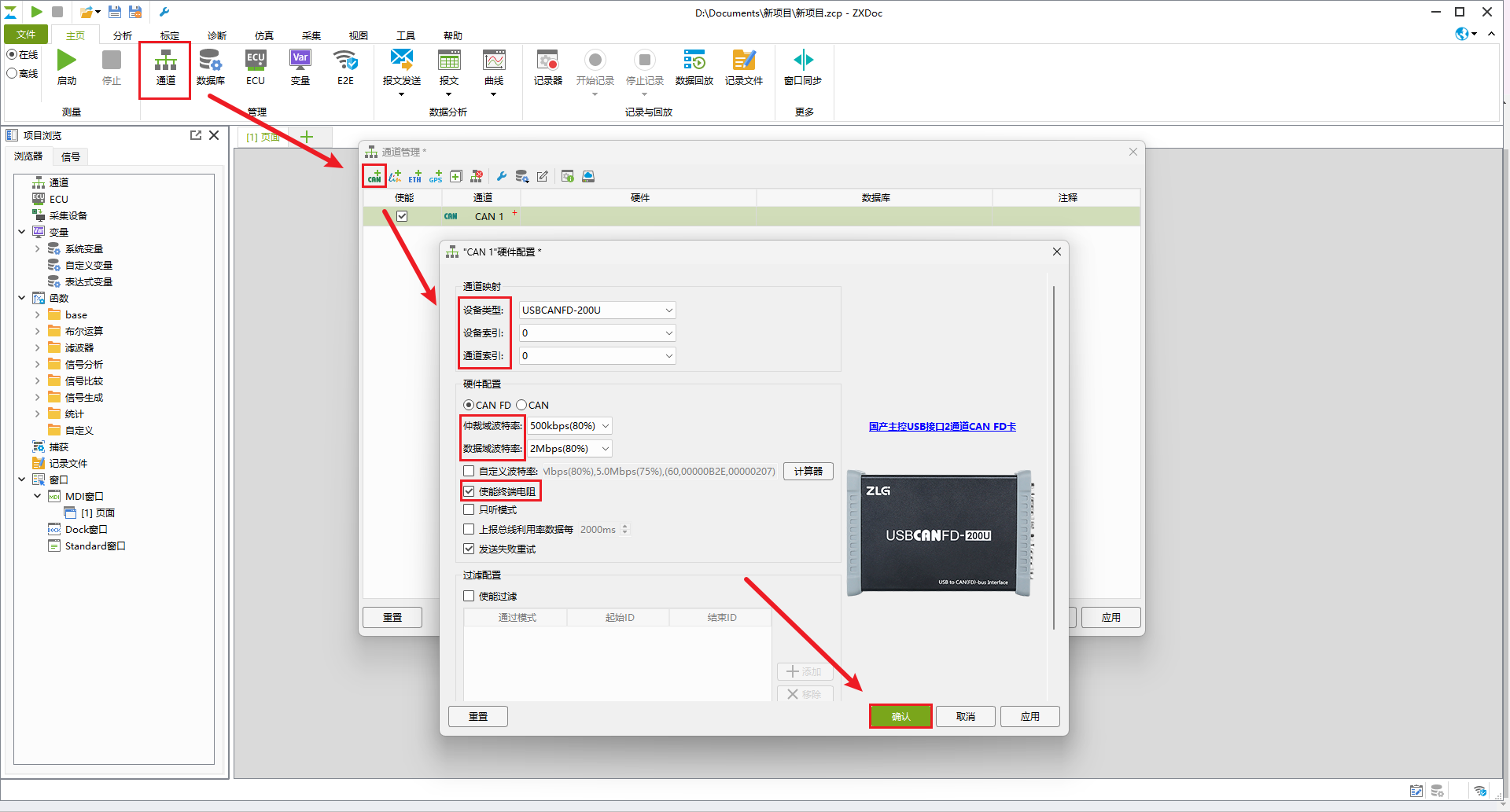
- On the Home (
Open the transmit window on the Home (
主页) tab via Message Transmit > New > CAN (报文发送 > 新建 > CAN).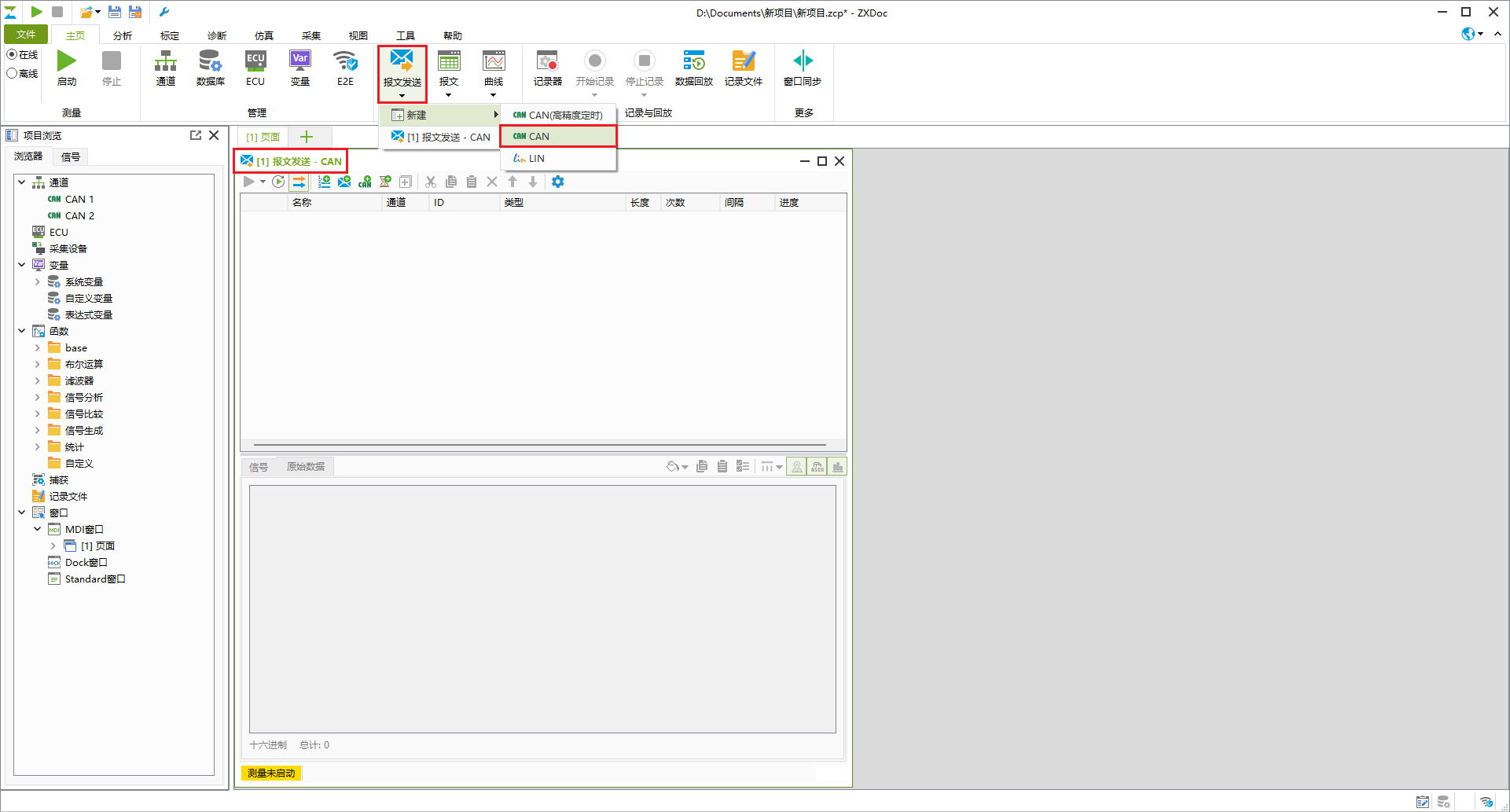
In the Message Transmit - CAN (
报文发送 - CAN) window, click the Add Frame (添加报文,Alt+F) toolbar button or right-click menu item to add frames and configure each frame's channel, CAN ID, frame type (CAN/CAN FD/BRS), DLC, cycle interval, and payload bytes.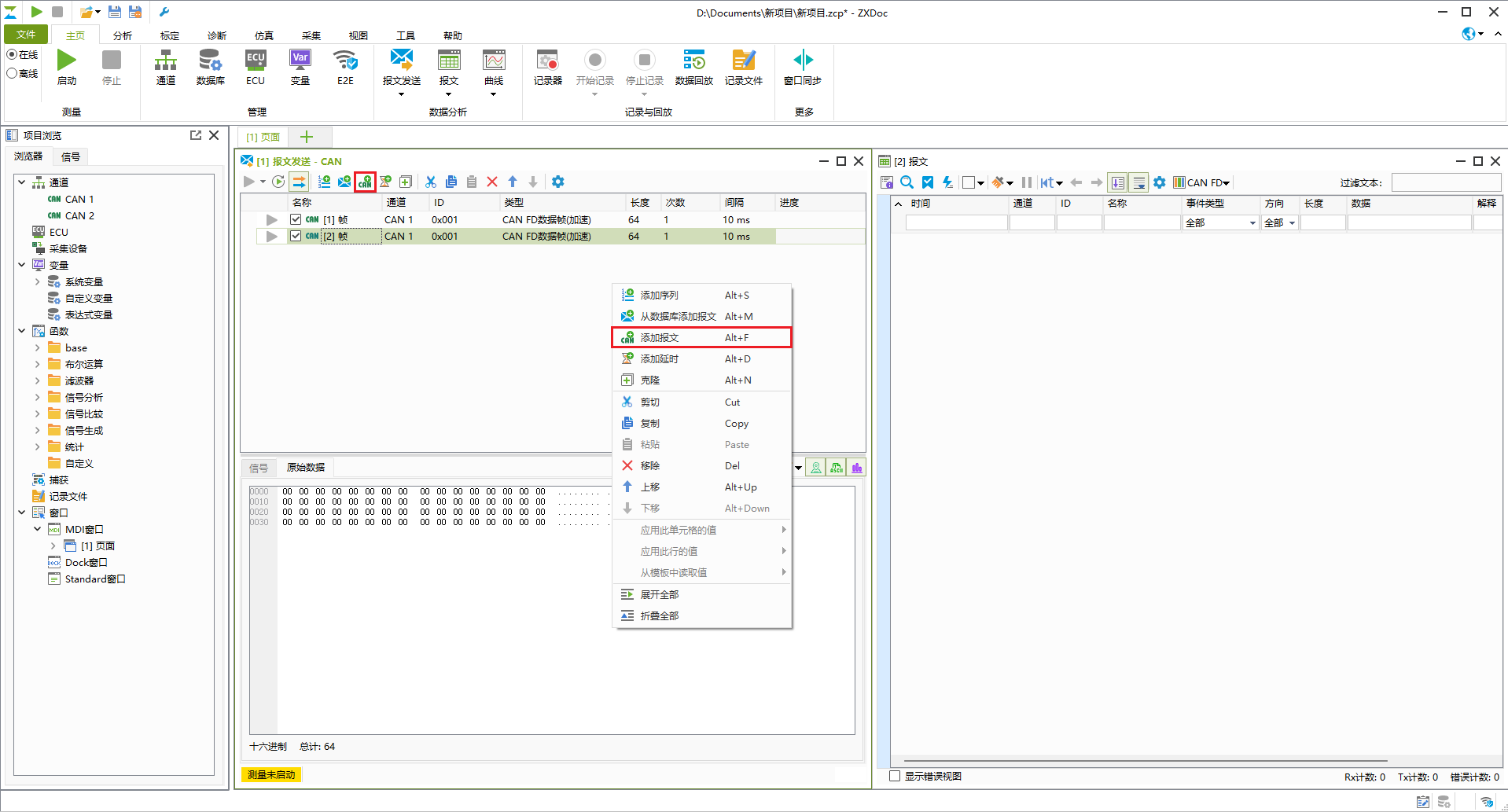
Open a message trace window via Home > Messages > New > CAN FD (
主页 > 报文 > 新建 > CAN FD), then click Start (启动, green play icon) on the ribbon to begin receiving and transmitting frames.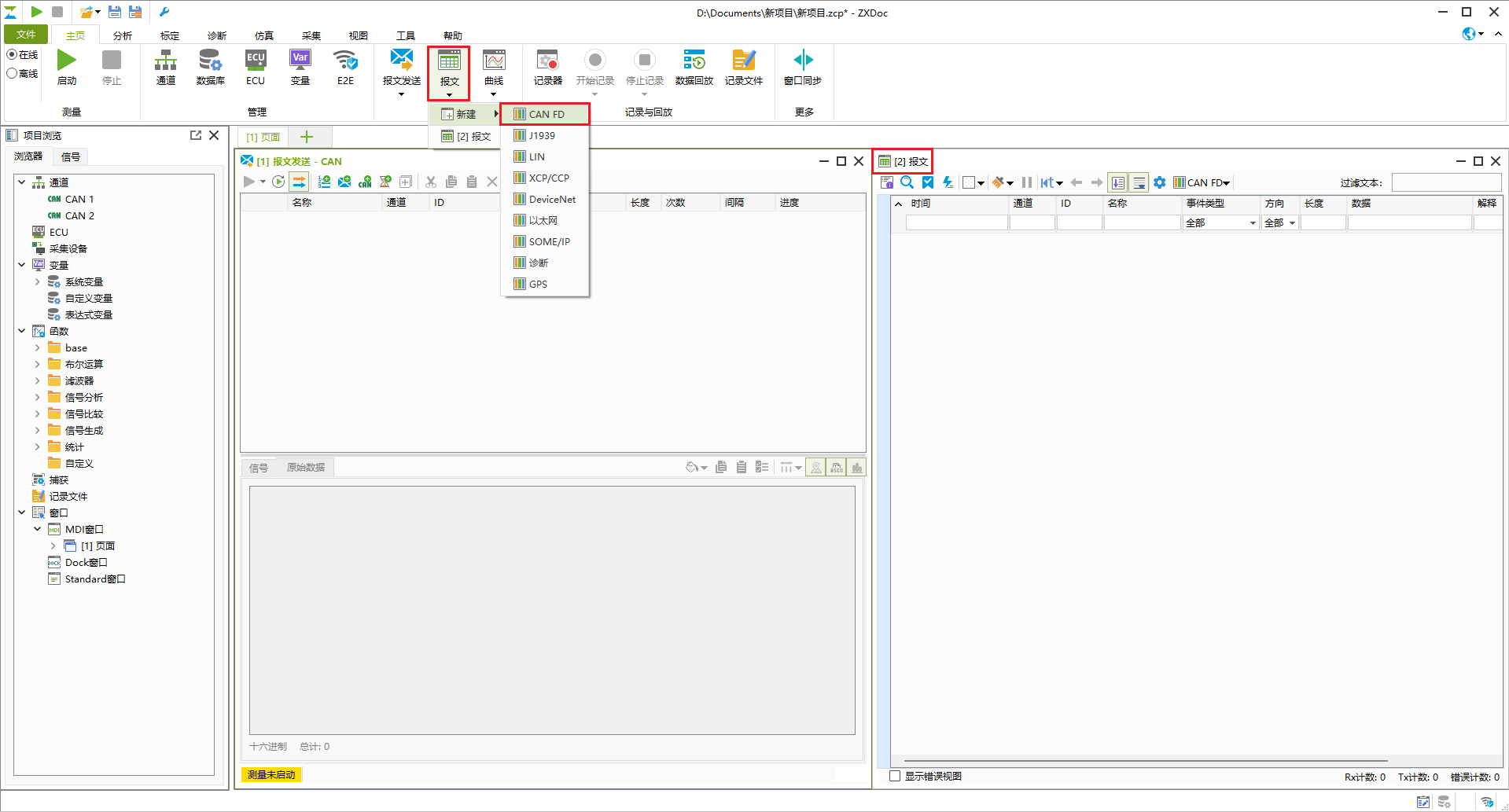
Built-in Documentation
For complete ZXDoc documentation, open the Help (帮助) ribbon tab and click User Manual (用户手册).
