ES582 Windows Driver Setup
Before using a CANmeleon device running ETAS ES582 firmware on Windows, install the ES582 USB driver and the BOA EBI Distribution Package specified for your project. If you use the device with INCA, also install the Hardware Service Pack (HSP) release matched to your INCA version.
Complete BOA EBI Installation
After installing the ES582 USB driver, make sure you also install the BOA EBI Distribution Package so INCA and BOA client tools can enumerate the interface.
Obtain the Installers
- ETAS Hardware Service Pack (HSP) official downloads — open the HSP Update Tool and select the ES582 USB driver.
- ETAS Software Download Center — contact ETAS Technical Support if your project requires a specific BOA EBI Distribution Package release.
Backup download (Chinese mirror)
ES582.1 reference archive (Aliyun Drive, Chinese)
Community-shared mirror. ETAS software copyrights belong to ETAS GmbH and respective rights holders.
Install the Driver and BOA EBI
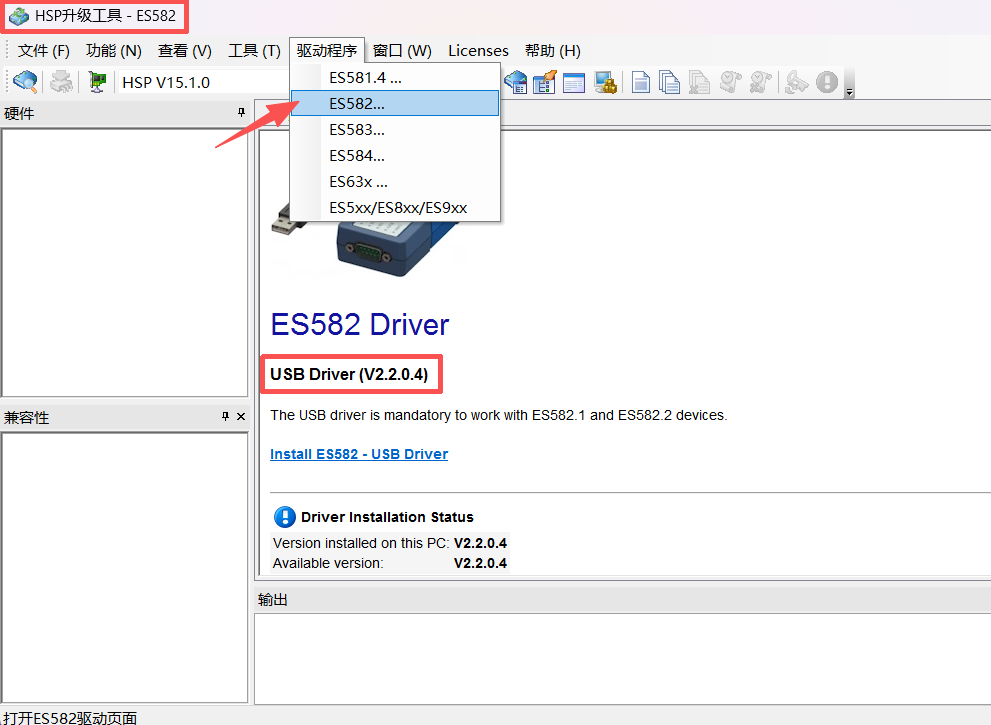
In the HSP Update Tool, open Drivers > ES582... (
驱动程序 > ES582...) to launch the ES582 USB driver installer.On the welcome screen, choose your preferred setup language and click Next.
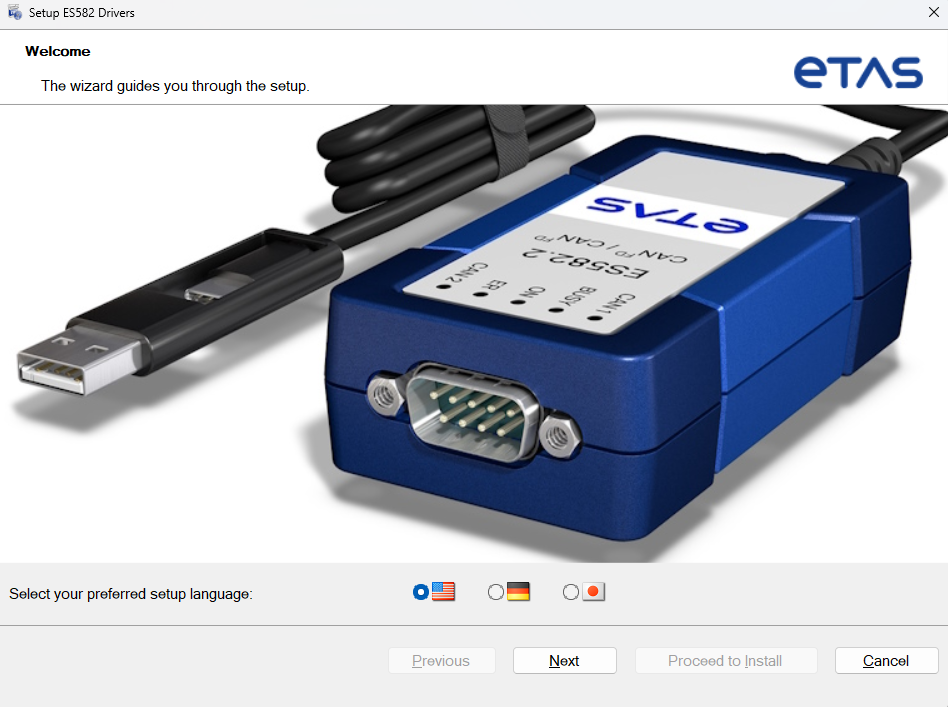
Keep the installation options required by your project and click Proceed to Install / Install.
When setup completes, click Finish.
Run the BOA EBI Distribution Package installer matched to your project and complete the wizard.
Disconnect and reconnect the device running ES582 firmware, then wait for Windows USB enumeration to finish and verify
ES582.1under ETAS Bus Interfaces in Windows Device Manager.
Verify the Driver Version in HSP
Install the HSP release matched to your project first, then open the HSP Update Tool (HSP升级工具):
- Select Drivers > ES582... (
驱动程序 > ES582...). - Under Driver Installation Status, confirm that Version installed on this PC matches your project's required driver version.