ZCANPRO User Guide
ZCANPRO is ZLG's Windows debugging and analysis utility for CAN and CAN FD buses, supporting raw frame transmission and reception, log playback, and higher-layer protocol decoding. Use it with CANmeleon devices running USBCANFD-200U/400U, USBCAN-2E-U, or USBCAN-II firmware.
Prerequisites
- Complete ZLG Windows driver installation for your active firmware mode.
- Connect the device to the PC and verify in Windows Device Manager that it is recognized without errors.
- Connect
CAN_HandCAN_Lto the target bus and ensure 120 Ω termination resistors are installed at both ends of the bus.
Basic Workflow
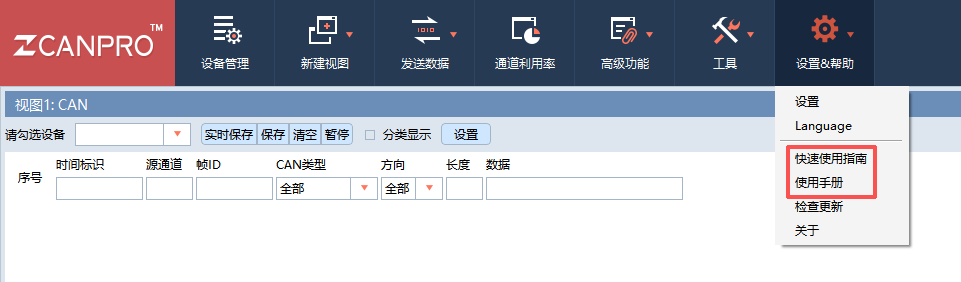
Screenshots below show ZCANPRO in Chinese; you can switch the UI language under Settings & Help > Language (
设置&帮助 > Language).
Open Device Management (
设备管理) on the top toolbar and select the device Type (类型) matching your active firmware, such asUSBCANFD-200U,USBCANFD-400U,USBCAN-2E-U, orUSBCAN-II.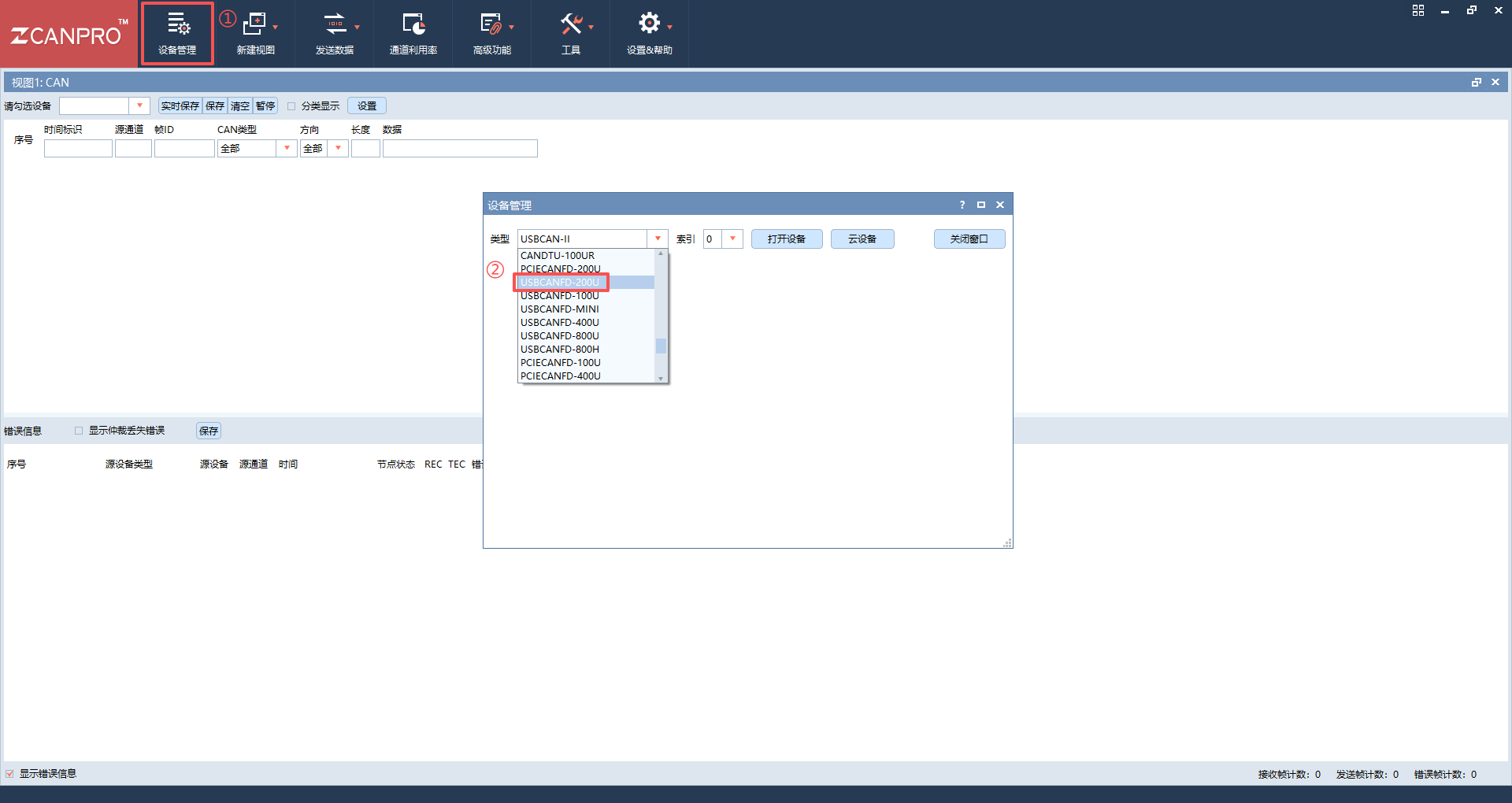
Select the device Index (
索引,0for the first adapter) and click Open Device (打开设备).Click Start (
启动) next to the target channel, choose the protocol (CANorCAN FD), and configure the bitrate to match your bus (for CAN FD, configure both the arbitration-phase bitrate仲裁域波特率and data-phase bitrate数据域波特率, plus internal termination if supported), then click OK (确认).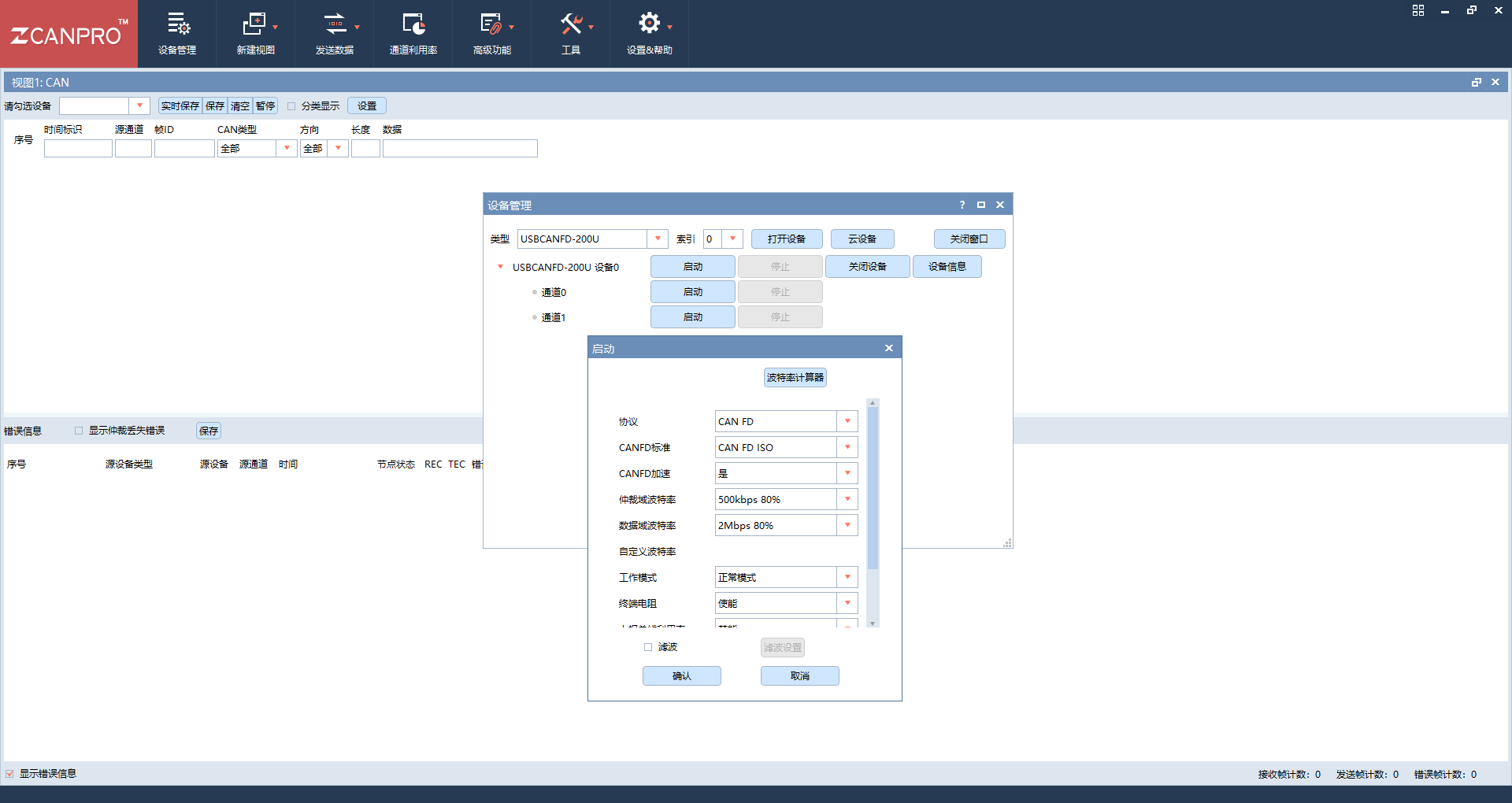
Check the main receive view (
视图1: CAN) to inspect incoming frames on the selected channel.To transmit frames, click Send Data (
发送数据) on the top toolbar, set the target channel, frame format, frame ID, length, and payload bytes, and click Send Immediately (立即发送).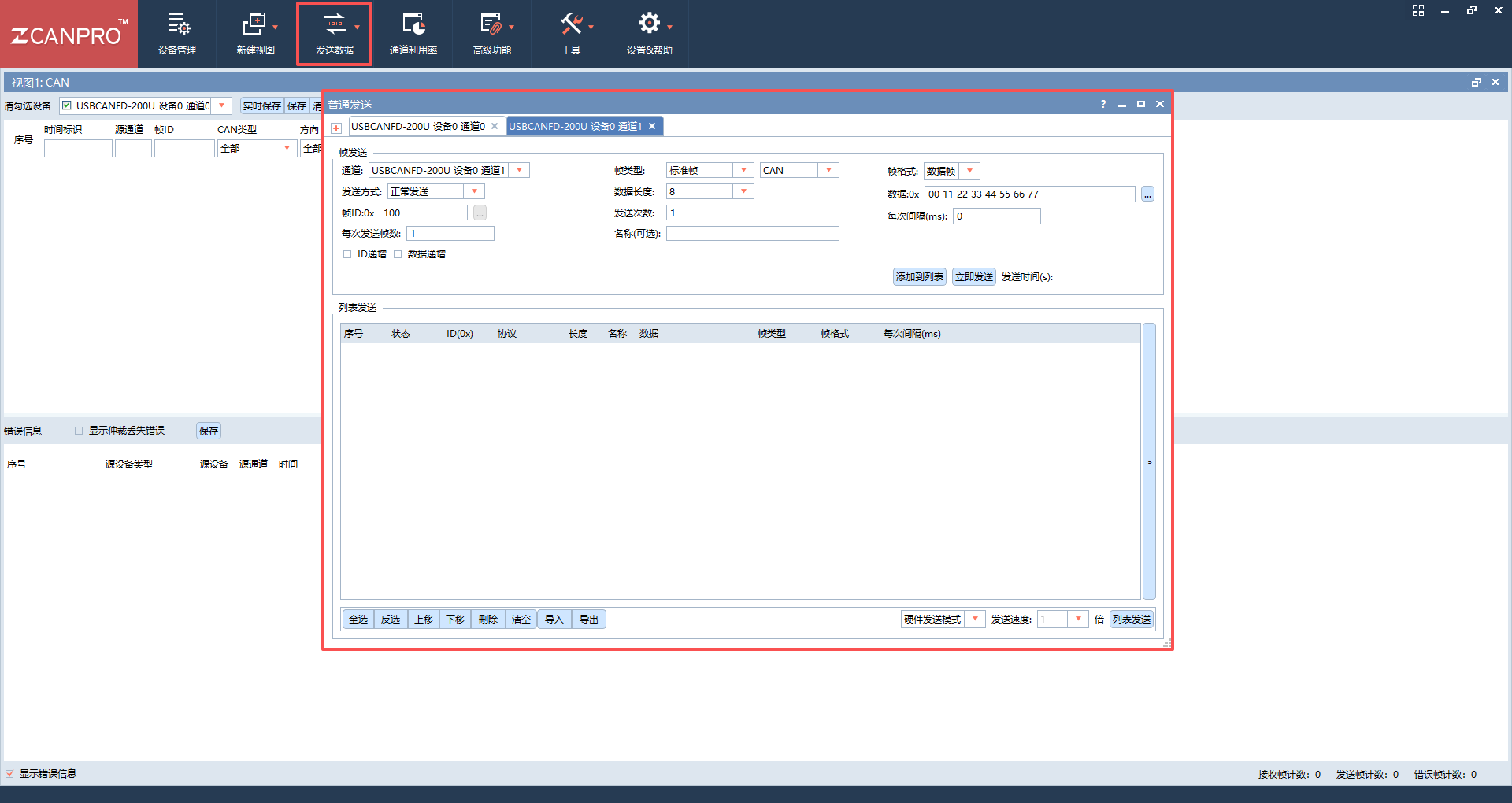
Built-in Documentation
For detailed ZCANPRO feature documentation, open Settings & Help (设置&帮助) in the top-right toolbar and choose Quick Start Guide (快速使用指南) or User Manual (使用手册).